
Jilipark Withdrawal Guide – How to Cash Out via GCash and Maya
Withdrawing funds from Jilipark Casino is simple and accessible for Filipino players, thanks to fast cashout options through GCash and Maya. This guide explains the withdrawal limits, requirements, and step-by-step process to help you complete your cashout smoothly.
Overview of Jilipark Withdrawal Methods
Jilipark currently supports two secure e-wallet withdrawal options widely used in the Philippines:
- GCash
- Maya (PayMaya)
These methods offer fast processing and convenient access for players. Bank withdrawals, GrabPay, and other wallets are not available based on the current platform setup.

Supported Methods
These are the available withdrawal options currently supported on the gaming platform, based on the platform’s latest system setup.
| Method | Notes |
|---|---|
| GCash | Most preferred option for PH users |
| Maya | Similar steps; legal name must match ID |
Both options require a bound wallet before your first withdrawal.
Withdrawal Limits & Operating Hours
Jilipark provides clear and straightforward withdrawal rules to ensure smooth transactions for all users:
- Minimum withdrawal: ₱100
- Maximum withdrawal: ₱20,000
- Daily withdrawal allowance: Up to 10 times per day
- Withdrawal window: 23:00 – 22:55 (only a 5-minute maintenance pause)
Most withdrawals reflect quickly, depending on e-wallet stability and network conditions.
Why Withdrawals May Take Longer
Withdrawal delays may happen due to:
- High network congestion
- GCash or Maya maintenance
- Incorrect or mismatched account information
- Verification checks for security
Withdrawal Requirements You Must Prepare
Before requesting a withdrawal, make sure you have the following:
- A verified Jilipark account
- A bound GCash or Maya wallet
- Full legal name that matches your National ID
- Wallet number in the correct format (GCash: 09XXXXXXXXX)
- Sufficient balance in your Central Wallet
- A stable internet connection
Binding your wallet with accurate details ensures smoother and faster cashouts.
How to Withdraw via GCash (Step-by-Step)
GCash is the most commonly used method for withdrawals due to its fast and reliable processing. Follow the steps below to complete your cashout.
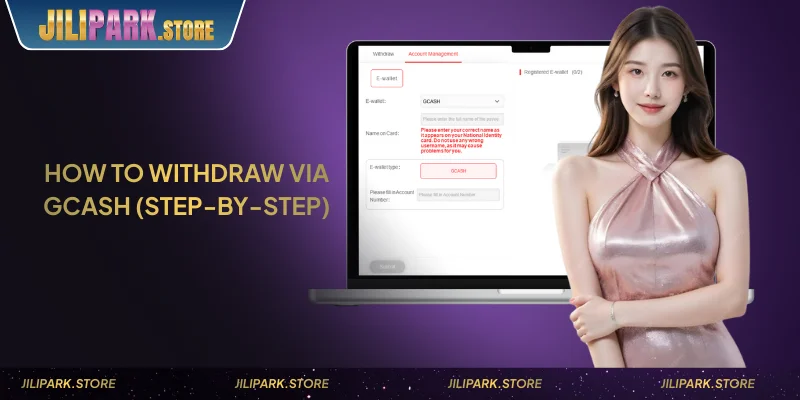
GCash Withdrawal Steps
Here’s a clear overview of how to withdraw using GCash:
- Log in to your Jilipark account.
- Go to the Withdrawal section.
- Bind your GCash wallet if you have not done so.
- Select your withdrawal amount (₱100–₱20,000).
- Enter your transaction password.
- Tap Submit and wait for confirmation.
Notes for GCash Withdrawals
Keep these reminders in mind to ensure your GCash withdrawal is processed smoothly and without delays.
- Your GCash number must follow the correct 09XXXXXXXXX format.
- Your GCash registered name must match your Jilipark verified information.
- Avoid submitting multiple withdrawal requests in quick succession.
These steps help prevent delays or rejected transactions.
How to Withdraw via Maya
Maya offers similar speed and convenience to GCash and is ideal for users who prefer PayMaya for online transactions.
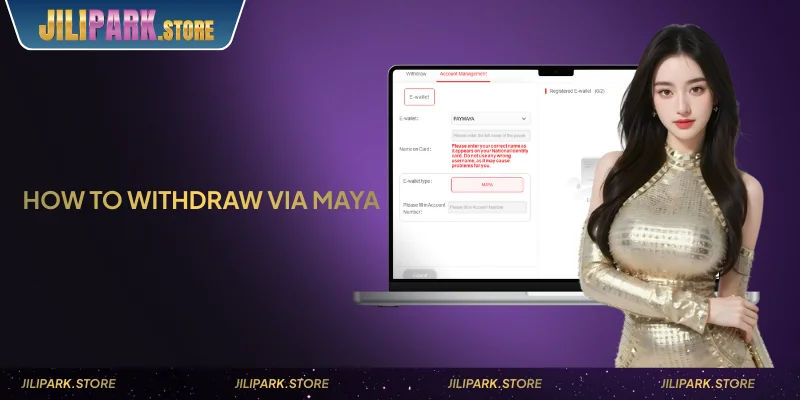
Maya Withdrawal Steps
Follow the steps below to complete your Maya withdrawal request securely and without errors.
- Go to Withdrawal inside your Jilipark dashboard.
- Bind your Maya wallet by entering your full legal name.
- Select your preferred withdrawal amount.
- Enter your transaction password.
- Tap Submit and wait for processing.
Maya Notes
These notes help prevent withdrawal failures when using Maya, especially issues related to identity matching and account details.
- The name on your Maya account must be identical to your ID name.
- Do not use nicknames or shortened names when binding your wallet.
- Make sure your Maya app is active and functioning normally.
Correct information ensures your cashout is processed without manual review.
Common Withdrawal Issues & How to Fix Them
If your withdrawal does not go through immediately, refer to the table below for common issues and solutions.
| Issue | How to Fix |
|---|---|
| Withdrawal pending | Wait for review or refresh your balance |
| Incorrect wallet number | Update the number and use the correct GCash/Maya format |
| Mismatched name | Change wallet binding to match National ID |
| GCash/Maya app not responding | Restart the app or switch networks |
Most problems are resolved by correcting details or waiting for wallet confirmation.
Verification Notes
For security and anti-fraud protection, some withdrawals may undergo additional checks. This may include:
- Verifying your identity
- Reconfirming wallet ownership
- Reviewing unusual withdrawal patterns
These steps help ensure that funds are sent to the rightful account owner.
Security Tips Before Cashing Out
To keep your account safe, remember the following:
- Never share your transaction password
- Use a personal device to process withdrawals
- Double-check your wallet number before submitting
- Avoid repeated withdrawal requests within a short period
Following these tips helps maintain account security and prevents delays.
Conclude
Jilipark provides fast and secure withdrawals through GCash and Maya, offering Filipino players a dependable way to cash out earnings. By following the correct steps and ensuring accurate wallet details, you can enjoy smooth and hassle-free transactions anytime.
FAQs About Jilipark Withdrawal
No, the wallet must match your verified name for security purposes.
It may be under review or waiting for wallet confirmation. Check your balance again after a few minutes.
Withdrawals are available from 23:00 to 22:55, with only a short maintenance break.
Yes, you can update your wallet through the Bind E-Wallet section if needed.