
Jilipark Deposit Guide – How to Add Funds Using GCash and Other Methods
This guide explains how Filipino players can deposit funds into their Jilipark account using GCash, Maya, GrabPay, bank transfer, and other supported payment channels. All steps are designed to help you complete your deposit smoothly and without errors.
Overview of Jilipark Deposit Methods
Jilipark supports several convenient deposit options to help players fund their accounts quickly. The most popular choices among Filipino users include GCash, Maya, and bank transfer. Each method has different minimum and maximum limits, allowing players to choose the option that best fits their needs.
Deposit Methods Overview Table
The table below summarizes the minimum and maximum limits for each deposit method available on Jilipark, helping players choose the most suitable payment option.
| Payment Method | Minimum | Maximum | Notes |
|---|---|---|---|
| GCash | ₱100 | ₱50,000 | Most common option for PH players |
| GCashQR | ₱100 | ₱50,000 | Scan-to-pay option |
| GCashPay2 | ₱300 | ₱50,000 | Higher minimum requirement |
| Maya / PayMaya | ₱50 | ₱50,000 | Lowest minimum deposit |
| GrabPay | ₱1,000 | ₱5,000 | Limited range |
| Online Banking | ₱1,000 | ₱50,000 | Bank availability varies |
This table helps you decide which method to use before proceeding with the step-by-step process.
Requirements Before Making a Deposit
Before depositing, make sure you have:
- An active Jilipark account
- A valid GCash, Maya, GrabPay, or bank account
- Enough balance in your payment wallet
- A stable internet connection
- Your device is ready to receive confirmation or OTP
Preparing these details helps avoid delays or failed transactions.
How to Deposit Using GCash (Step-by-Step)
GCash is the most commonly used deposit method in the Philippines due to its speed and convenience. Follow the steps below to fund your account:
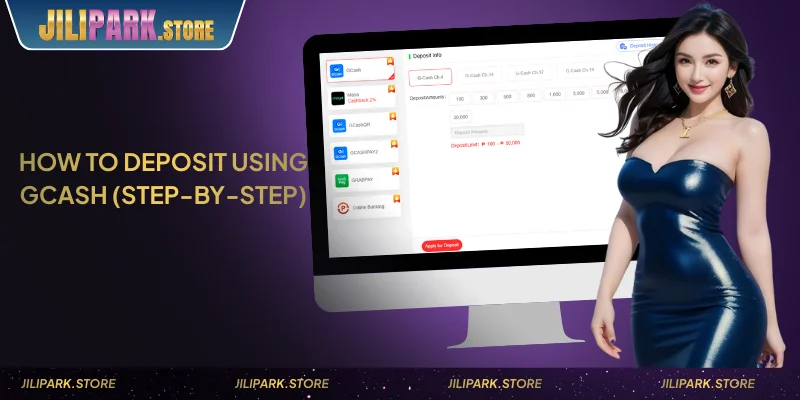
GCash Deposit Steps
Follow the steps below to complete your GCash deposit smoothly. These instructions apply to both standard GCash and GCashQR channels.
- Log in to your account.
- Go to Deposit and choose GCash or GCashQR.
- Select your preferred deposit amount or enter a custom amount.
- Confirm the request and complete the payment in the GCash app.
- Return to Jilipark and check if the updated balance appears.
Notes for GCash Payments
Keep these reminders in mind when depositing through GCash to avoid delays or payment errors.
- Ensure you have a stable signal to receive prompts.
- Always double-check the reference number before submitting.
- Avoid closing the payment window until the transaction is completed.
How to Deposit via Bank Transfer
Bank transfer is suitable for players who prefer using online banking apps. Processing may take slightly longer due to bank system checks.

Bank Transfer Steps
If you prefer using your online banking app, the steps below outline how to complete a successful bank transfer to the platform.
- Go to Deposit on the Jilipark platform.
- Choose Online Banking.
- Select the deposit amount.
- Follow the on-screen instructions to complete the bank transfer.
- Wait for confirmation before refreshing your Jilipark balance.
Bank Transfer Reminders
These reminders help ensure your bank transfer is processed correctly, especially during busy banking hours.
- Some banks require OTP verification.
- Banking hours may affect processing times.
- Ensure the correct reference number is entered when prompted.
How to Deposit via Other E-Wallets
Other e-wallets like Maya and GrabPay can also be used to deposit into Jilipark.
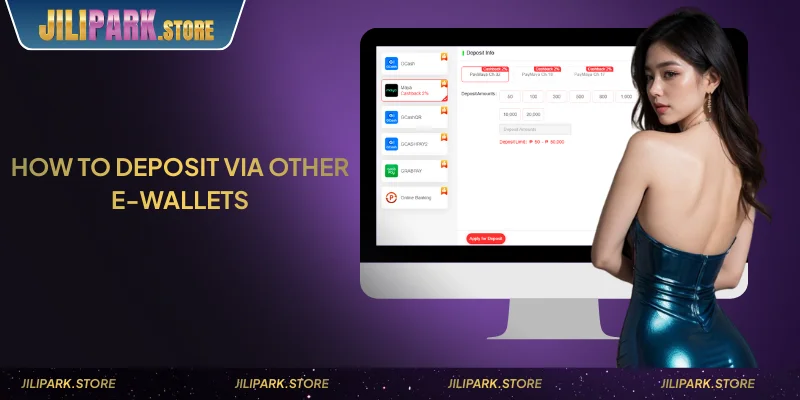
- Maya (PayMaya) supports a low minimum of ₱50.
- GrabPay deposits start at ₱1,000 and may have stricter limits.
These options are useful if GCash is unavailable or under maintenance.
See more: Jilipark Withdrawal Guide – Cash Out via GCash and Maya
Common Deposit Issues & How to Fix Them
If you experience problems while depositing, use the table below to identify and resolve the issue quickly:
| Issue | How to Fix |
|---|---|
| Payment not reflecting | Wait a few minutes or refresh your balance |
| Wrong reference code | Re-enter the correct code and retry |
| GCash app freezing | Restart GCash or your device |
These solutions cover the most frequent issues encountered by PH players.
Deposit Processing Times & General Notes
Most deposits on Jilipark are processed instantly or within a few minutes, depending on the payment channel and network stability.
Delays may occasionally occur due to wallet congestion, bank verification, or high-traffic hours.
Why Deposits May Take Longer
Deposits can be delayed for reasons such as:
- Banking hours or maintenance
- Slow mobile data or unstable WiFi
- Delayed wallet confirmation
- Verification checks for certain transactions
Account Verification Notes
Some deposits may require additional verification for security purposes. This may include confirming your identity or verifying your payment source. This step helps protect your account and prevent unauthorized transactions.
Conclude
Depositing on Jilipark is fast and flexible thanks to multiple PH-friendly payment methods. With clear limits and simple steps, players can fund their accounts quickly and return to enjoying the platform.
FAQs About Jilipark Deposits
It depends on the payment method. Maya allows ₱50, while GCash starts at ₱100.
Most deposits reflect instantly, but delays may occur depending on the payment channel.
Refresh your balance or wait a few minutes. If still missing, check your payment receipt.
Yes, you may deposit using GCash, Maya, GrabPay, or bank transfer.