
How to Deposit at Jilipark – GCash, Maya & All Methods 2026
Deposits at Jilipark credit within minutes, with no transaction fees on any method, and the lowest minimum in the Philippine market sits at ₱50 via Maya. Six deposit options are available: GCash (three variants), Maya, GrabPay, and online banking. Before you create a Jilipark account or fund it for the first time, here’s every method, step by step.
Six methods are available across e-wallets and bank transfers. GCash and Maya are the fastest for most players, and both credit in under three minutes with zero fees.
| Method | Type | Min Deposit | Max Deposit | Speed | Fees |
|---|---|---|---|---|---|
| GCash | E-wallet | ₱100 | ₱50,000 | 1–3 min | ₱0 |
| GCashQR | E-wallet | ₱100 | ₱50,000 | 1–3 min | ₱0 |
| GCashPay2 | E-wallet | ₱300 | ₱50,000 | 1–3 min | ₱0 |
| Maya | E-wallet | ₱50 | ₱50,000 | 1–3 min | ₱0 |
| GrabPay | E-wallet | ₱1,000 | ₱5,000 | 1–3 min | ₱0 |
| Online Banking | Bank | ₱1,000 | ₱50,000 | Varies | ₱0 |
Two important limits to flag before you deposit: GrabPay caps at ₱5,000 per transaction, and it is not available for withdrawal. Online banking processes more slowly than e-wallets and is also deposit-only.
How to Deposit via GCash at Jilipark – Step by Step
GCash is the most-used deposit method among Filipino players on the platform, and the process takes under two minutes once your account is funded and ready.
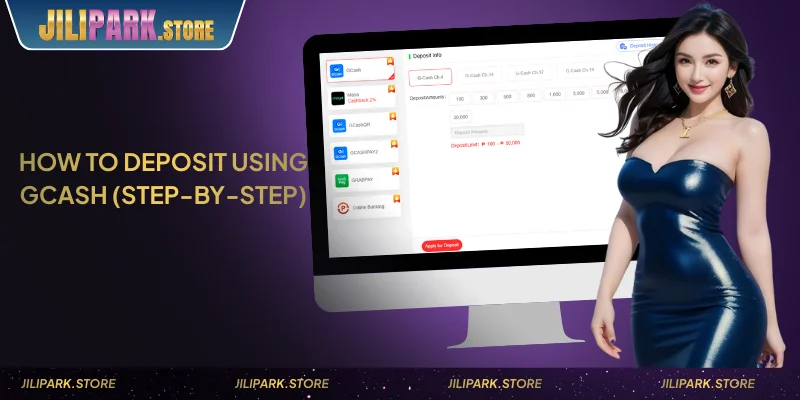
- Log in to your Jilipark account.
- Go to the Cashier or Deposit section from the main menu.
- Select GCash as your payment method.
- Enter your deposit amount (minimum ₱100).
- Enter the GCash-linked mobile number on your account.
- Open your GCash app and approve the transaction.
- Return to Jilipark — funds typically credit within 1–3 minutes.
GCash Variants — Which One to Use
Three GCash options appear in the deposit section. Standard GCash covers most players. GCashQR uses a scan-to-pay flow instead of entering a mobile number, which is useful if you prefer not to type. GCashPay2 carries a higher minimum of ₱300 and is a secondary gateway option if the standard GCash channel is temporarily slow.
If this is your first deposit, your 108% Welcome Bonus up to ₱28,888 activates automatically, âmd go to the Rewards Center and claim it within 12 hours of the transaction.
How to Deposit via Maya at Jilipark
Maya carries the lowest deposit minimum on the platform at ₱50, and the most accessible entry point for players testing the platform before committing a larger amount.
- Log in and navigate to the Deposit section.
- Select Maya (also displayed as PayMaya on some screens).
- Enter your deposit amount (minimum ₱50, maximum ₱50,000).
- Confirm the transaction through your Maya app.
- Funds are credited in 1–3 minutes.
One detail worth noting before you deposit: the legal name on your Maya wallet must match your Jilipark account name. A mismatch does not block deposits, but it will block withdrawals later, with name consistency enforced at KYC verification. Fix it at registration, not after your first win.
How to Deposit via GrabPay at Jilipark
GrabPay works for deposits only, and it is not available as a withdrawal method. The minimum is ₱1,000, and the maximum is ₱5,000 per transaction. This method suits players who already have GrabPay credit loaded and prefer to use it.
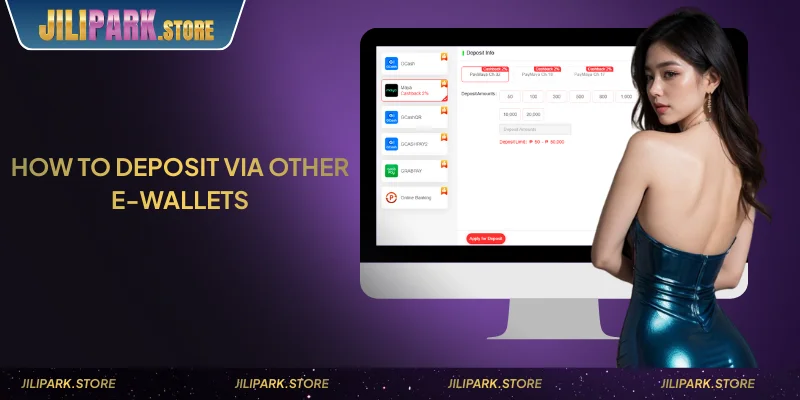
- Go to the Deposit section and select GrabPay.
- Enter your deposit amount (₱1,000–₱5,000 range).
- Authorize through the Grab app.
- Funds are credited within 1–3 minutes.
If you need to deposit more than ₱5,000 in one transaction, switch to GCash or Maya, which both allow up to ₱50,000.
How to Deposit via Online Banking at Jilipark
Bank transfer supports a higher ceiling, up to ₱50,000 per transaction, but processes more slowly than e-wallets. Use it when you need to move a larger amount, and processing time is not urgent.
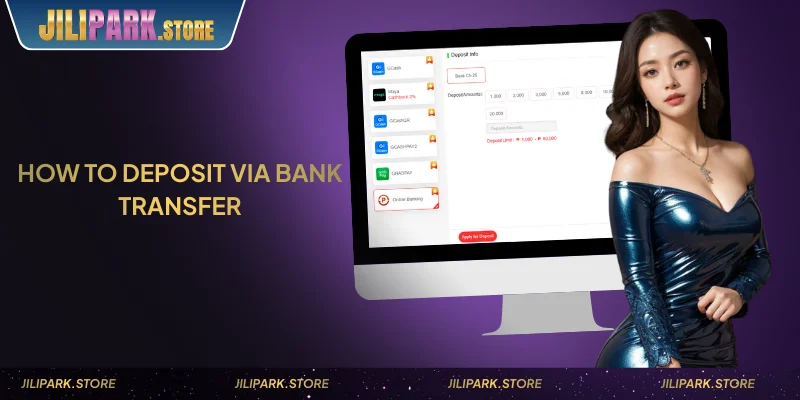
- Select Online Banking from the deposit options.
- Choose your bank from the available list.
- Enter your deposit amount (minimum ₱1,000).
- Complete authentication through your bank’s online portal.
- Processing time varies by bank, and allow more time than you would for GCash or Maya.
Like GrabPay, bank transfer is deposit-only. Withdrawals at Jilipark are available via GCash and Maya exclusively.
Deposit Not Reflecting? Common Issues and Fixes
Most deposit issues resolve within five minutes. If funds have not appeared in your balance after that window, work through these checks before contacting support.
- Issue 1: The transaction shows pending in GCash or Maya, but the balance has not been updated. Wait the full 3–5 minutes, then check Transaction History in the Cashier section. Network delays between payment gateways and the platform occasionally extend the credit window slightly.
- Issue 2: You entered the wrong deposit amount. Do not attempt a second deposit before confirming the first one’s status. Contact live chat with the transaction ID from your GCash or Maya app, and support can trace the payment and advise next steps.
- Issue 3: Deposit rejected due to account mismatch. Jilipark enforces a one-account rule per IP address, bank card, and phone number. Deposits from a third-party account (someone else’s GCash) will be flagged and may be returned. All deposit methods must be linked to the account holder’s registered identity.
- Issue 4: Welcome Bonus not appearing after first deposit. The 108% bonus is not automatic, and it requires a manual claim at the Rewards Center. The claim window is 12 hours from the time of your first deposit. Missing that window forfeits the bonus for that deposit.
- Issue 5: GrabPay deposit declined. GrabPay has a hard cap of ₱5,000 per transaction. Amounts above this will fail. Switch to GCash or Maya for larger deposits.
For anything not resolved by the above, contact the 24/7 live chat team at support@jilipark.store with your registered mobile number and transaction ID ready.
Conclude
Deposits at Jilipark process quickly across all six methods, with zero fees regardless of which you choose. Maya covers the lowest entry point at ₱50, GCash handles volume up to ₱50,000, and online banking supports larger one-time transfers. Ready to cash out? See the full Jilipark withdrawal guide for GCash and Maya payout steps. If anything goes wrong with a deposit, live chat is available 24/7 at support@jilipark.store.
FAQs About Jilipark Deposits
It depends on the payment method. Maya allows ₱50, while GCash starts at ₱100.
Most deposits reflect instantly, but delays may occur depending on the payment channel.
Refresh your balance or wait a few minutes. If still missing, check your payment receipt.
Yes, you may deposit using GCash, Maya, GrabPay, or bank transfer.