
Jilipark App Download – Android APK & iOS Install 2026
The Jilipark app is free to install, takes under two minutes, and runs on both Android and iOS devices. It is the only way to access two exclusive promotions, the Free Angpao Everyday reward and the Monthly 27th Rewards, which are app-only and unavailable through any browser. This guide covers safe installation on both platforms, a no-download browser option, and what to do if the install hits a snag.
Is the Jilipark App Safe to Download?
This is the right question to ask before installing any APK file, and the answer here is straightforward.
The platform operates under PAGCOR, the Philippine Amusement and Gaming Corporation, which means it is a licensed and regulated online casino in the Philippines. The app itself uses 256-bit SSL encryption across all data and financial transactions, the same standard used by banking applications.
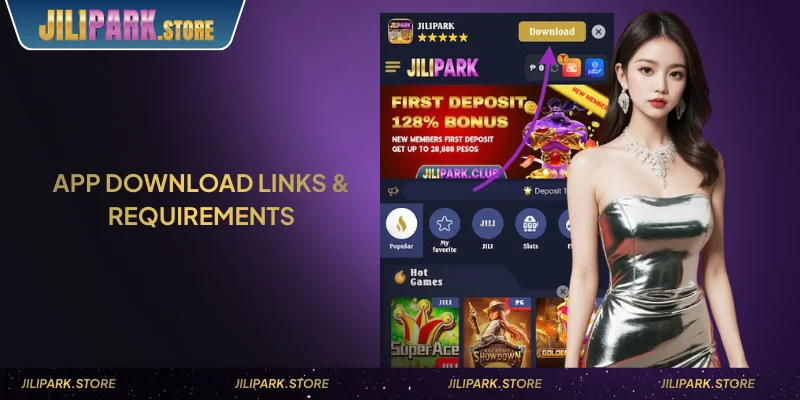
The app is not listed on the Google Play Store. That is not a red flag, and it reflects Philippine gaming regulations that restrict casino apps from app store distribution. The APK is distributed directly through the official website at jilipark.store. That is the only safe source.
Third-party APKs circulating on file-sharing sites are not verified and pose a genuine security risk. If a file did not come from jilipark.store, delete it, and start over from the official URL.
Two promotions are only accessible through the app: the Free Angpao Everyday (claim window 20:00–20:30 GMT+8 nightly) and the Monthly 27th Rewards. Neither is available on a mobile browser. If these promos matter to you, the app install is worth the two minutes.
How to Download the Jilipark App on Android
Android installation uses an APK file downloaded directly from the official website. There is no Play Store involved, and the process takes around 30 seconds once the file is on your device.
Before you start, make sure your phone has a stable internet connection and enough storage for a standard APK file.

- Open jilipark.store on your Android browser (Chrome works fine).
- Find the “Download App” or “Android APK” button on the homepage.
- Tap it — the APK file will save to your Downloads folder automatically.
- Go to Settings → Security (or Settings → Apps, depending on your Android version) and enable “Install from Unknown Sources” or “Allow from this source.”
- Open your Downloads folder and tap the APK file.
- Follow the installation prompts — the process takes approximately 30 seconds.
- Once installed, tap the app icon on your home screen, then log in or register.
⚠️ One rule: only use the APK from jilipark.store. If you downloaded the file from any other source, delete it and re-download from the official URL. Third-party APK files are not safe.
The app is compatible with modern Android smartphones. Mid-range devices run it without issues, and it is built on HTML5 and optimized for Philippine mobile hardware.
Before your first session, fund your Jilipark account using Maya, and Maya accepts deposits from ₱50, the lowest minimum of any payment method on the platform.
How to Install the Jilipark App on iOS (iPhone & iPad)
iOS installation works through Safari and requires trusting a developer profile in your device settings. The process takes under two minutes.
Option A — Direct install via Safari:
- Open jilipark.store in Safari. This must be Safari — Chrome and other iOS browsers cannot process the install prompt.
- Tap the “Download for iOS” button on the homepage.
- When prompted, tap “Allow” to begin the install.
- Go to Settings → General → VPN & Device Management.
- Find the developer profile listed under jilipark.store and tap “Trust.”
- Return to your home screen — the app icon will be there. Tap to launch.
Option B — Add to Home Screen (PWA):
If you prefer not to install a developer profile, the PWA method gives you an app-like icon with no profile required.
- Open jilipark.store in Safari.
- Tap the Share icon (the box with an arrow pointing up).
- Select “Add to Home Screen.”
- Tap “Add” — the icon appears on your home screen immediately.
The PWA version delivers the same full game library and payment access. It uses no device storage beyond the shortcut icon itself. For players who use multiple devices or share a phone, this is often the cleaner option.
What You Get on the App
The app gives you access to everything the platform offers across six game verticals: slots from JILI and PG Soft, live casino tables from Evolution and AE Sexy, sportsbook markets via BTI and SBO, fish shooting titles from JILI and TaDa Gaming, blockchain games including Secrets of Anubis, and the full Filipino card game library, with Tongits Go, Pusoy Go, Teen Patti, and more.
Payment-wise, all methods work in-app. GCash deposits start at ₱100. Maya starts at ₱50, which is the lowest minimum available. Withdrawals via GCash and Maya both work through the app with the same ₱100 minimum and ₱20,000 per-transaction cap.
The two features that make the app genuinely worth installing over browser-only play are the exclusive promotions. Claim the 108% welcome bonus at Jilipark as a new player, up to ₱28,888 on your first deposit, then use the app each night at 20:00–20:30 GMT+8 to claim the Free Angpao Everyday reward, which distributes up to ₱8,888 per player on a first-come basis from a nightly pool of 300,000 angpao.
24/7 live chat is accessible directly inside the app. You do not need to open a browser to reach support.
App Not Installing? Common Issues and Fixes
Most installation problems on Android come down to one of four causes.
- “Install blocked” message — this means “Install from Unknown Sources” has not been enabled. Go back to Step 4 in the Android section above and enable it for your browser or file manager, then try the APK again.
- APK file won’t open — the file may have been corrupted during download, which happens on unstable connections. Delete the file and re-download directly from jilipark.store. Do not use a cached or partially downloaded file.
- App crashes on launch — check that your Android version is current. The app is built for modern smartphones. If your device is running a significantly older OS version, performance may be affected.
- iOS install fails at the Trust step — if the developer profile does not appear under VPN & Device Management, restart Safari, return to jilipark.store, and re-initiate the download. If it still fails, use the PWA method (Option B) instead — it works on all iOS devices without a profile.
For device-specific issues not covered here, 24/7 live chat is available at jilipark.store and responds immediately.
The Jilipark app is free, sourced exclusively from jilipark.store, and installs in under two minutes on both Android and iOS. If you prefer not to install anything, the mobile browser version covers the full platform, and the only difference is the two app-exclusive promotions. Either way, the same games, the same payment methods, and the same support are available from your phone.
⚠️ Responsible Gaming: Gaming involves financial risk. Play responsibly. Seek support if gaming affects your daily life. Players must be 18+.
Frequently Asked Questions
The app uses HTML5-based games optimized for mobile bandwidth. Casual slot sessions run on moderate data. Live casino streaming is heavier, and connect to Wi-Fi for extended live dealer sessions to avoid burning through your data allowance.
No, the platform allows one active session per account. Logging in through the app will end any active browser session, and vice versa. This is a standard security measure.
No, your account, balance, and VIP tier are stored server-side, not on your device. Uninstalling and reinstalling the app has no effect on your account. Log back in with the same credentials and everything is exactly as you left it.
Yes, Android tablets and iPads both support the app. The interface is responsive and scales to larger screens. Use the same installation steps as for phones, and the process is identical.
For Android, updates are released as new APK files on jilipark.store. The app will typically prompt you when an update is available, or you can check the download page directly. iOS updates follow the same process, and re-download via Safari. PWA users receive updates automatically when the website updates.