
How to Register at Jilipark – Step-by-Step Sign-Up Guide
Creating a Jilipark account takes under 3 minutes, and your first deposit unlocks a 108% welcome bonus up to ₱28,888. The platform operates under PAGCOR oversight with 256-bit SSL encryption, so your personal details and funds are handled through a secure connection from the moment you fill in the registration form. Before you start, here’s exactly what you need.
What You Need Before You Register
A smooth sign-up depends on having the right details ready. Missing any of these will interrupt the process mid-way.
- Age: 21 years old and above (Philippine law — no exceptions)
- A valid Philippine mobile number that can receive SMS (required for OTP verification)
- A GCash or Maya account with your legal name matching your government ID
- A government-issued ID on hand — not required during sign-up, but mandatory before your first withdrawal
One important rule to note upfront: the platform enforces a strict one-account policy per IP address, phone number, and bank card. Attempting to register a second account can result in forfeiture of bonuses and account suspension.
How to Register at Jilipark – Step-by-Step
The registration process runs entirely on the official site. All five steps below happen in sequence, and do not navigate away mid-process.
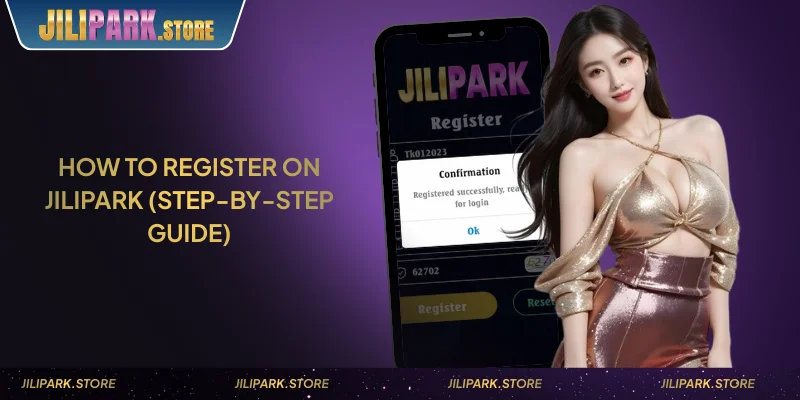
Step 1 — Visit the Official Site
Open your browser and go directly to jilipark.store. Do not use mirror domains (.com, .bet, .win, or numbered variants like jilipark66.com), and these are anti-block access points, not the canonical registration page. Look for the Register or Sign Up button, typically in the top-right corner of the homepage.
Step 2 — Fill in the Registration Form
The sign-up form asks for a username, password, and your Philippine mobile number. Enter these carefully, with your username cannot be changed after registration, and your mobile number becomes the primary contact for OTP verification and account recovery. Follow the on-screen password requirements as prompted.
If you were referred by an existing member, enter the referral code in the designated field before submitting. Referral codes cannot be added retroactively.
Step 3 — Verify Your Mobile Number via OTP
After submitting the form, an OTP is sent to the mobile number you entered. Enter this code in the verification field to confirm your account. The code typically arrives within 30 seconds.
If the OTP does not arrive, wait 60 seconds before requesting a resend. Repeated failed OTP attempts may temporarily lock the verification step, and if this happens, contact 24/7 Live Chat for manual assistance.
Step 4 — Complete Your Profile
Once OTP is confirmed, complete your account profile. Your full name must match the legal name on your government-issued ID and on your GCash or Maya wallet exactly, and wallet name = account name = ID name. This three-way match is required before any withdrawal can be processed.
If prompted, set a transaction password separate from your login password. This is used to authorize withdrawal requests.
Step 5 — Make Your First Deposit
Registration alone does not activate any bonus. To unlock the welcome offer, you need to make your first deposit and then claim it manually at the Rewards Center within 12 hours. Minimum deposit to qualify:
- Maya: ₱50 (lowest minimum on the platform)
- GCash: ₱100
For the full step-by-step breakdown of how to fund your account, see the Jilipark deposit guide for GCash and Maya players.
How to Claim the 108% Welcome Bonus After Signing Up
The 108% First Deposit Bonus is available to new members on their first deposit only. After depositing, go to the Rewards Center and claim the bonus within 12 hours, and it does not credit automatically.
Bonus amounts by deposit tier:
| Deposit Amount | Bonus |
|---|---|
| ₱100+ | ₱108 |
| ₱500+ | ₱228 |
| ₱1,000+ | ₱488 |
| ₱5,000+ | ₱1,088 |
| ₱50,000+ | ₱12,888 |
| ₱200,000+ | ₱28,888 |
Turnover requirement: (Deposit + Bonus) × 15×. Eligible games are Slot and Fish Shooting only, and BG Slot is excluded. The bonus is valid for one claim per IP address, bank card, and phone number.
For the full terms, including all deposit tiers and the eligible game list, see the 108% welcome bonus page at Jilipark.
Common Registration Problems and How to Fix Them
Most sign-up issues come down to three scenarios. Here’s how to handle each one without losing your progress.
OTP not arriving: Wait 60 seconds, then use the resend option. Check that your phone has a mobile signal and that the number entered is correct. If the issue persists, switch to a Wi-Fi connection and try again.
“Mobile number already registered” error: This means an account already exists under that number. The one-account policy is enforced at registration, and you cannot create a second account with the same phone number. If you believe this is an error, contact Live Chat.
Site not loading or showing an error: Go directly to jilipark.store. If your ISP blocks the domain, use your provider’s DNS settings or try a mobile data connection. Do not use unofficial mirror sites to register, and account security on unverified domains is not guaranteed.
For any issue not resolved by the above, reach out through 24/7 Live Chat on the platform or email support@jilipark.store.
Conclusion
Once your account is verified and your first deposit is in, head to the Rewards Center to claim your welcome bonus before the 12-hour window closes. From there, log in to your Jilipark account and explore the full game library, slots, live casino, Filipino card games, fish shooting, and blockchain games.
⚠️ Responsible Gaming: Gaming involves financial risk. Play responsibly. Seek support if gaming affects your daily life. Players must be 21+.
FAQ – Jilipark Account Registration
Yes, the registration page is accessible via any desktop or laptop browser. However, a valid Philippine mobile number is still required to receive the OTP — you cannot bypass SMS verification.
Your registered name must match your government ID and your GCash or Maya wallet. If there is a mismatch, your withdrawal request will be rejected during the KYC step. Contact Live Chat as early as possible to request a name correction before making any transactions.
No, creating an account is free. The platform does not charge any fee for sign-up, account maintenance, or deposit transactions via GCash and Maya.
The platform is built for Philippine players and requires a valid PH mobile number (09XX format) for OTP delivery. International numbers are not supported in the verification flow.
Use the Forgot Password link on the login page. A reset OTP will be sent to your registered mobile number. If you no longer have access to that number, contact support@jilipark.store for account recovery assistance.